.png)
Flexofc Journal
What Is Hot Desking? The Complete Guide for Hybrid Teams and Businesses
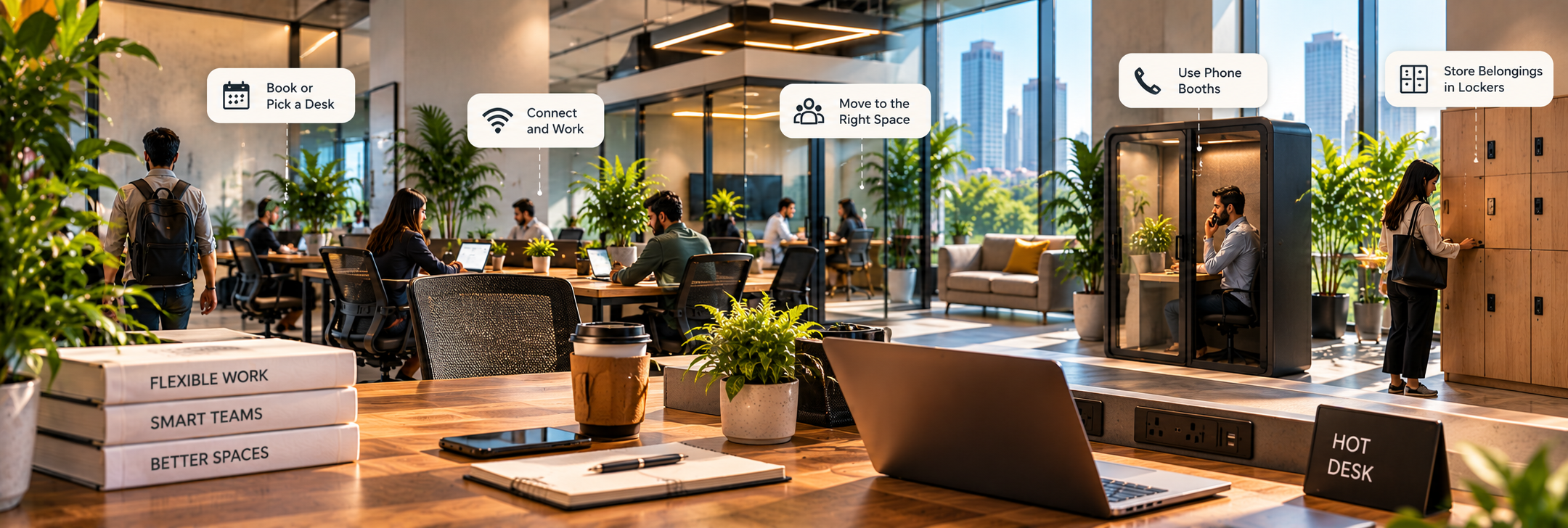
Hot desking is a flexible seating arrangement where employees or freelancers do not have assigned seats but instead choose an available desk through a first-come first-served system or a desk booking platform each day.
The basic idea is simple: the desk belongs to the workplace rather than to one employee.
That matters because many offices have a familiar problem. A company may have 100 employees but only 50 people physically present on an average day. The remaining desks still occupy expensive office space even when nobody uses them.
Hot desking changes that equation.
Instead of designing an office around maximum headcount it allows businesses to plan around actual attendance. For hybrid companies this can reduce wasted space while giving employees more flexibility in where they work.
What started as a flexible workplace concept has become a practical real estate strategy for businesses trying to control occupancy costs without giving up access to professional office infrastructure.
How Hot Desking Actually Works
Hot desking works best when the process is predictable.
Employees should know where to sit how to access equipment and what to do with their belongings at the end of the day.
A Typical Hot Desk Day
Imagine an employee named Rahul works from the office three days a week.
9:30 AM — Arrival
Rahul enters the workspace and checks the available desks.
Depending on the office setup he might:
Choose any available workstation
Scan a QR code
Reserve a desk through an app
Select a seat within his team's designated zone
9:35 AM — Connect and Work
The desk should already have the basic infrastructure needed to get started.
Ideally that includes:
High-speed Wi-Fi
Power sockets
Universal charging
Monitor connectivity
USB or USB-C connections
Ergonomic seating
Adequate lighting
A universal docking station can make the transition even easier. Employees connect one cable to their laptop and immediately access the monitor keyboard network and other peripherals.
During the Day — Move When Necessary
The employee may move to a phone booth for a private call or use a meeting room for a client presentation.
This is one of the advantages of flexible seating. The employee chooses the environment based on the task instead of being tied to one desk all day.
End of Day — Clear the Desk
Hot desking normally follows a clean-desk principle.
Employees take their personal belongings with them and leave the workstation ready for the next user.
Personal items can be stored in lockers rather than left overnight.
How Do Companies Manage Hot Desks?
There are two common approaches.
1. First-Come First-Served
Employees arrive and select any available desk.
This is easy to operate but becomes difficult when occupancy is high.
Imagine 80 employees arriving at 9:30 AM for 60 desks. Without some form of planning the first group gets the best seats while everyone else starts searching.
2. Desk Booking Software
A hot desk booking system lets employees reserve workstations before arriving.
The software can show:
Available desks
Occupied desks
Team zones
Meeting rooms
Phone booths
Booking times
Employee reservations
For larger businesses this creates a useful layer of visibility.
The technology is not the strategy. It simply makes the strategy easier to manage.
If your attendance policy is unclear then even the best desk booking software will not solve the problem.
What Infrastructure Does Hot Desking Need?
Hot desking requires more than putting several desks in one room.
The workplace should be designed around fast transitions between users.
Enterprise-Grade Connectivity
Employees should be able to connect to reliable high-speed internet without complicated setup.
For businesses that rely heavily on cloud applications video meetings or large file transfers connectivity is a basic operating requirement.
Universal Docks and Chargers
Different employees use different laptops.
USB-C docking stations universal chargers and adaptable monitor connections can reduce setup time.
Phone Booths
Hot desks work well for general tasks but employees still need somewhere private for confidential conversations.
Phone booths can prevent meeting calls from disrupting the rest of the workspace.
Lockers
Employees need secure storage for bags headphones documents and other personal items.
Without lockers hot desking quickly becomes a daily game of finding somewhere to leave your stuff.
Clear Desk Zones
Workstations should be easy to reset.
A clean-desk policy prevents one employee's equipment or paperwork from becoming the next employee's problem.
The Core Benefits of Hot Desking
Hot desking creates value for both businesses and professionals but the financial case is often the biggest reason companies consider it.
Benefits for Businesses
1. Better Use of Office Space
A fixed desk is an expensive asset when nobody is using it.
If your workforce follows a hybrid schedule then you may not need one permanent workstation for every employee.
A properly designed hot desking program can potentially reduce the amount of office space required by 30–50% depending on attendance patterns and the desk-sharing ratio.
These figures are not guaranteed savings. The actual result depends on occupancy patterns lease terms workspace design and employee adoption.
2. Lower Real Estate Overhead
Fewer desks can mean a smaller office footprint.
That can affect:
Rent
Maintenance
Utilities
Furniture investment
Cleaning
Facility management
For a growing company the difference can become substantial over several years.
3. Less Empty Desk Waste
A desk used by one employee for two days a week is still consuming the same physical space as a desk used every day.
Hot desking lets multiple employees share that capacity.
The goal is not to remove desks. The goal is to remove unnecessary permanent desk ownership.
Benefits for Employees and Teams
More Choice
Employees can choose a quiet desk when they need focus or sit closer to colleagues when collaboration matters.
Cross-Team Interaction
When employees aren't permanently separated by department they may interact with colleagues they would rarely meet in a traditional office.
That can create useful connections between teams.
Less Organizational Silos
A fixed seating chart can reinforce departmental boundaries.
Flexible seating can encourage movement between teams and make the office feel more collaborative.
Better Alignment With Hybrid Work
Employees who only come into the office two or three days a week don't necessarily need a permanent workstation.
Hot desking aligns physical office capacity with actual attendance.
Real-World Hot Desking Challenges and How to Solve Them
Hot desking isn't automatically successful.
Poor implementation can create frustration. Here are the problems businesses should anticipate.
Challenge 1: Noise and Lack of Privacy
A flexible workspace can become noisy when employees move between desks throughout the day.
Solution
Create dedicated zones for different work styles.
For example:
Quiet zone: Deep individual work
Collaboration zone: Team discussions
Call zone: Video meetings
Social zone: Informal interaction
Add acoustic phone booths for private calls.
Establish simple call etiquette such as using headphones and taking longer meetings into designated rooms.
Challenge 2: Lack of Personalization and Storage
Employees who have used the same desk for years may initially dislike losing their personal workspace.
Solution
Provide:
Day lockers
Personal storage
Equipment lockers
Assigned storage for specific teams
Clean-desk guidelines
The objective is to make employees feel that they have somewhere to keep their essentials even if they don't have a permanent desk.
Challenge 3: Seating Uncertainty
Employees don't want to arrive at 10 AM and discover that every suitable desk has already been taken.
Solution
Use desk reservation software when occupancy becomes difficult to manage manually.
Another option is to create team neighborhood zones.
A finance team might have access to one seating area while the marketing team uses another. Employees still share desks but know where their colleagues are likely to sit.
Hot Desk vs Dedicated Desk vs Private Office
Feature | Hot Desk | Dedicated Desk | Private Office |
Desk Ownership | No permanent desk | Assigned workstation | Dedicated private workspace |
Daily Setup Time | Low with good docking infrastructure | Very low | Very low |
Cost Per Seat | Usually lowest | Moderate | Highest |
Storage / Personalization | Lockers and shared storage | More personal storage | Highest customization potential |
Privacy Level | Low to moderate | Moderate | High |
Flexibility | Highest | Moderate | Lower |
Best Suited User | Hybrid workers freelancers and occasional users | Regular office users | Teams needing privacy and dedicated space |
The right choice depends on how frequently you use the office.
Someone visiting twice a month probably doesn't need a dedicated desk.
A developer working from the office five days a week may benefit from a permanent workstation.
A team handling confidential client information may need private offices regardless of attendance frequency.
Is Hot Desking Right for Your Business?
Use a simple test.
Hot desking is a strong fit when:
Employees work remotely several days a week
Office attendance changes regularly
Many desks remain unused
Teams don't require permanent equipment
Employees can work from standardized setups
The company wants to reduce real estate overhead
Dedicated seating may make more sense when:
Employees need specialized equipment
Teams work onsite almost every day
Personal storage is essential
Employees need highly customized workstations
Collaboration depends on permanent team locations
Private offices may be preferable when:
Confidential work is common
Client meetings happen frequently
Teams require acoustic privacy
Employees need dedicated equipment
Brand presentation matters
The best workplace strategy often combines all three.
A company could use hot desks for hybrid employees while keeping dedicated desks for core users and private cabins for leadership or confidential functions.
How FlexOFC Helps You Find Hot Desks
Finding a suitable hot desk shouldn't require contacting multiple coworking operators just to compare day pass prices.
FlexOFC helps professionals and businesses discover verified coworking spaces and flexible workspaces with clearer access to available options.
Through FlexOFC users can explore:
Hot desks
Day passes
Flexible workspaces
Private offices
Coworking memberships
Workspace amenities
Location options
As a zero-brokerage workspace discovery platform FlexOFC helps users compare flexible workspace options without traditional middleman fees.
For a freelancer looking for a desk for one day or a business exploring flexible seating for a hybrid workforce the same principle applies:
Compare the workspace based on how you will actually use it rather than simply choosing the cheapest seat.
Explore FlexOFC to discover verified flexible workspace options.
Frequently Asked Questions About Hot Desking
What Is the Difference Between Hot Desking and Flexi Desking?
The terms are often used interchangeably but there can be a practical distinction.
Hot desking usually means employees do not have permanently assigned desks and choose from available workstations.
Flexi desking is a broader term for flexible seating arrangements that can include hot desks shared desks and bookable workstations.
The exact terminology varies between companies and workspace operators.
Can You Leave Your Monitor or Belongings on a Hot Desk Overnight?
Usually no.
Hot desks are designed to be shared. Employees should normally remove personal belongings and equipment at the end of their booking.
If you need to leave equipment overnight ask whether the workspace provides dedicated lockers or assigned storage.
Businesses should also establish clear policies for company-owned monitors keyboards and other equipment.
Is Hot Desking Suitable for Small Businesses?
Yes.
Small businesses can benefit from hot desking because they often have fluctuating attendance and limited real estate budgets.
A team of 10 people doesn't necessarily need 10 permanent desks if only six employees typically work from the office at the same time.
Hot desking can allow the business to operate from a smaller footprint while keeping access to professional workspace infrastructure.
Is Hot Desking Good for Hybrid Teams?
Yes when it is designed around actual attendance.
A hybrid team can combine desk booking software with shared workstations team zones meeting rooms phone booths and private offices.
The key is to understand peak attendance first.
If 40 employees work for the company but only 20 typically come into the office on the same day then a 40-seat office may not be the most efficient use of space.
What Should a Company Consider Before Introducing Hot Desking?
Start with five questions:
How many employees actually use the office each day?
What is the peak attendance level?
Which employees need dedicated equipment or privacy?
How will desks be booked and managed?
Where will employees store personal belongings?
Answer these before buying desk booking software or redesigning the office.
Final Takeaway
Hot desking is not simply a way to remove assigned seats. It is a workplace strategy that connects office capacity with actual employee usage.
When implemented properly it can reduce wasted real estate improve flexibility and give hybrid employees more choice over where they work.
But successful hot desking requires more than empty desks. Businesses need reliable technology clear booking rules private spaces secure storage and an office layout designed around different types of work.
For individuals the decision is simpler: if you only need a workspace occasionally a hot desk or day pass can offer the professional infrastructure of an office without the commitment of a permanent desk.
For businesses the bigger opportunity is financial.
Don't pay for 100 desks because you have 100 employees. Pay for the workspace your people actually use.
Need Help With This Topic?
Talk to the Flexofc team
If this article sparked a question about coworking, coliving, managed offices, or the right workspace setup, contact us and we'll help you narrow the best next step.
Contact UsRecommended for you
Oct 9, 2026
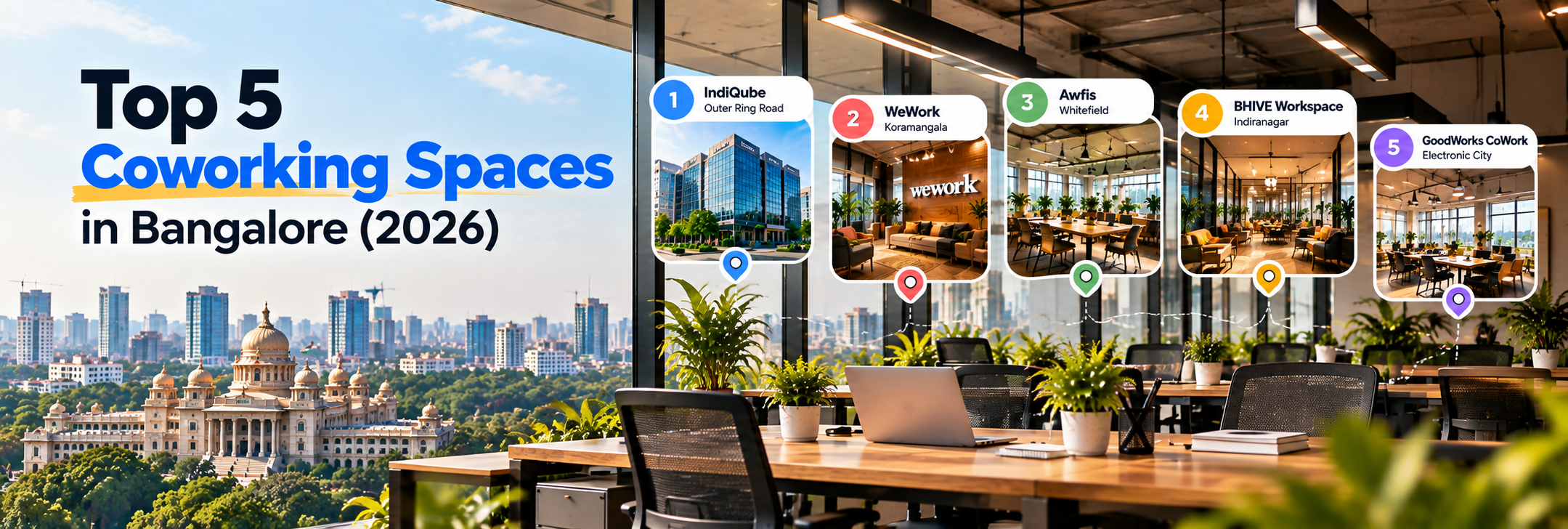
Top 5 Coworking Spaces in Bangalore: 2026 Guide
Looking for the best coworking spaces in Bangalore? Explore the top 5 options, compare locations, am...

Oct 8, 2026
Top 10 Coworking Spaces in Delhi (2026): Areas & Best Picks
Delhi-NCR's flex office market hit a record in 2026, with operators taking 45% of Q2 leasing. This g...

Oct 7, 2026
Top 10 Coworking Spaces in Gurgaon (2026): Prices, Locations & Amenities Compared
Compare 10 leading coworking spaces in Gurgaon by indicative desk pricing, micro-location, metro acc...